goose 2.0 beta - new architecture and clients

goose started life in the terminal. The earliest versions were a Python CLI that ran the agent in-process — you typed a message, the model responded, tools executed, and everything happened in a single loop. That simplicity was a strength: it meant anyone with a terminal could start using goose immediately, no app to install, no server to run.
As goose grew, so did the ways people wanted to use it. We shipped an Electron desktop app and suddenly we had two clients with two completely different integration paths. The Rust CLI talked to the agent directly in process, while the desktop app went through goosed, a custom REST + SSE server. Every new feature — session management, extension loading, streaming — had to be wired up in both places.
Third-party developers have never been able to easily build their own clients, as they had no standard way to connect at all.
We needed a single protocol that any client could speak to reach the same agent core. For this purpose we have chosen ACP, the Agent Client Protocol, as our new default interface to goose.
Under the hood: ACP
Behind the scenes we're unifying how every client connects to goose through ACP (Agent Client Protocol). ACP gives us one protocol and one goose server for every client — terminal, desktop, IDE plugins, whatever you want to build. This will make it possible for an ecosystem of different goose clients to emerge. We also have an RFD for a new HTTP/WS transport for ACP and would welcome feedback on the design.
Here's where things stand:
| Phase | What | Status |
|---|---|---|
| 1 — Stabilize ACP server | Production-ready server with session persistence, extensions, streaming | ✅ Done |
| 2 — TypeScript TUI beta | Feature-complete terminal UI built on the ACP client | 🚧 In progress |
| 3 — Desktop rewrite to Tauri | Electron app being replaced with a Tauri-based desktop client on ACP | 🚧 In progress |
| 4 — Consolidation | Remove goosed and the old Rust CLI; single unified architecture | Planned |
The work is tracked in #6642.
The new goose TUI
With that foundation in place, we're now shipping the first official clients built on top of it: a brand-new TypeScript TUI you can try today and a Tauri-based desktop app that will replace our Electron desktop application. For you, this means a faster, lighter experience in both the terminal and on the desktop — and a clear path for the community to build new client and integrations without reverse-engineering internals.
Here's what's happening and how to get started.
Try the new TUI right now
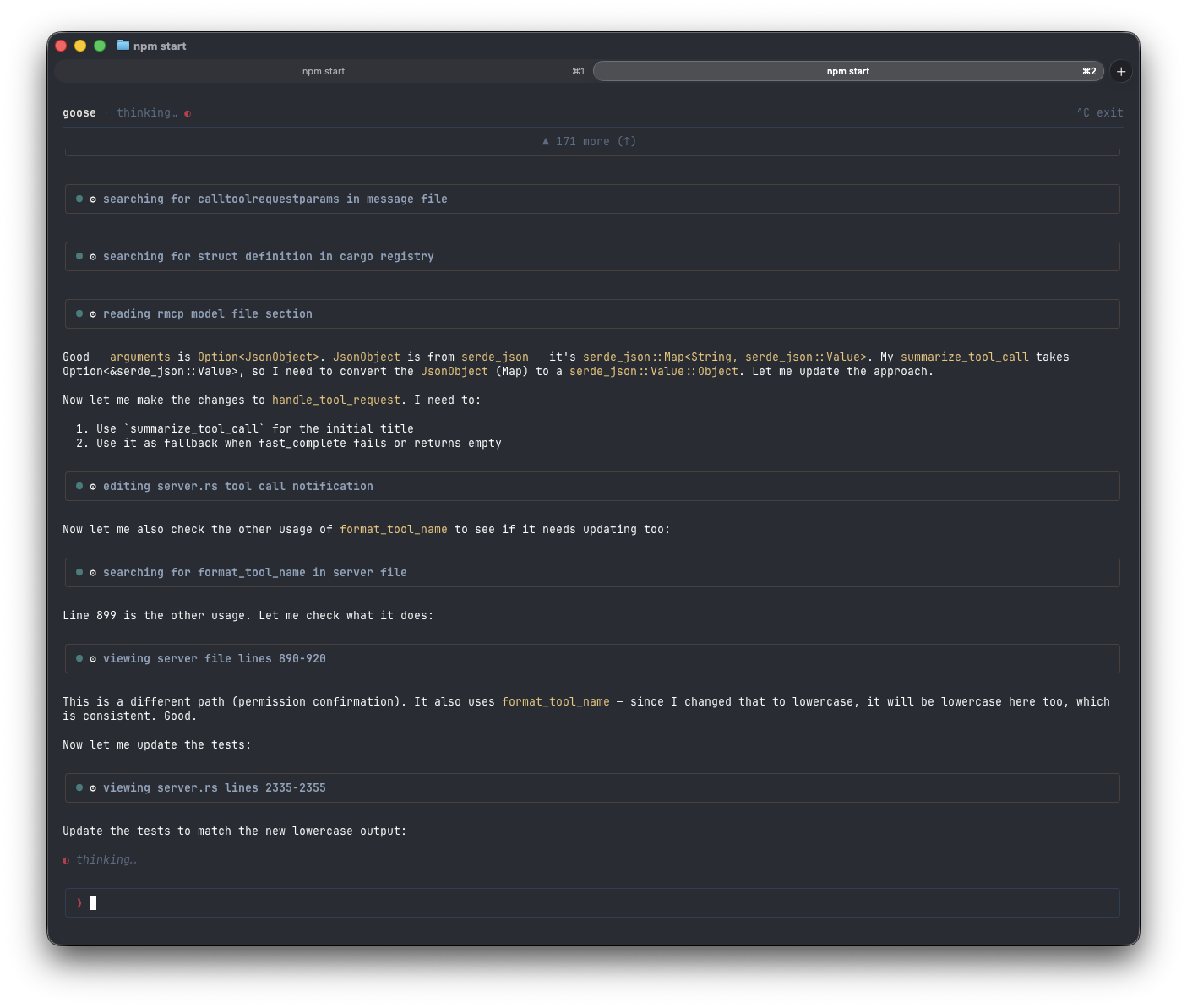
The new TypeScript-based TUI is in beta. It already supports messages, tool calling, syntax-highlighted code, and rendered markdown. Give it a spin:
npx @aaif/goose
That's it — one command, no install. It pulls down the latest beta and starts an interactive session.
What's coming next for the TUI
- Provider and model management
- Session list, resume, and export
- UI for MCP features and skills management
We'd love your feedback — try it out and let us know what works and what doesn't.
Desktop is moving to Tauri
We're also rewriting the desktop app from Electron to Tauri. The Tauri rewrite gives us improved performance, a refreshed UI, and the new app will talk to ACP so both official clients will share the same protocol and server.
We will follow up with another post when the desktop is ready for beta testing.
Get involved
This is all happening in the open. Follow along or jump in:
- Tracking issue: #6642
- Try the TUI:
npx @aaif/goose - Discord: Follow along and give feedback in #goose-2-dev.
- Feedback? Open an issue or drop a comment on #6642 — we'd love to hear from you.